7 Mistakes to Avoid When Picking Data Entry Automation Software
You are comparing data entry automation tools because manual input is eating your team's hours. Many teams switch after a spreadsheet error or a missed follow-up, not after a careful evaluation. The wrong pick costs money, setup time, and staff patience.
This article covers seven mistakes to avoid: ignoring your team's workflow, hidden pricing traps, skipped free trials, underestimated training time, tools staff reject, weak data security, and poor support or scalability. You will also get a clear comparison of six options, starting with Tasks.Bot as our top overall pick, plus criteria for choosing your own.
What to Look For in Data Entry Automation Software
Selecting data entry automation software is a high-stakes decision that directly impacts operational efficiency, but many teams fall into preventable traps during evaluation. A feature checklist alone will not reveal whether a tool fits your data volumes, your systems, or your people.
What separates a smooth rollout from a costly mistake is a structured evaluation process. That means mapping workflows before you shop, modeling the full cost picture, and pressure-testing the tool with your own data rather than a polished demo.
Research suggests most failed automation projects trace back to procurement errors, not product defects. The software worked as advertised, but it was the wrong fit from the start.
The three mistakes below cover the areas where teams lose the most time and money: workflow mismatch, hidden pricing, and skipped trials. Each section explains what goes wrong, how to spot it early, and what to ask vendors before you commit.
Treat this as a practical guide to de-risking your selection. The goal is not to find the most feature-rich platform, but the one your team will actually use and your budget can sustain.
Mistake #1: Ignoring Your Team's Existing Workflow
One of the most costly mistakes is choosing a tool that forces your team to abandon established processes instead of enhancing them. Before evaluating any data entry automation software, document how work actually flows today.
Start by mapping your current data entry workflows step by step. Where does data originate? Who touches it next? Where are the approval gates, exception queues, and handoffs? A simple process map will expose the points where an automation tool must plug in rather than replace.
Next, identify your integration points. Most teams run an ERP, a CRM, or both, plus spreadsheets and legacy systems that will not disappear overnight. Check whether the tool offers API connectivity, native connectors, or file-based imports for each system you rely on.
Consider a finance team with a three-tier approval chain for invoices. If the software routes approvals differently, or forces a single approver, staff will work around it. Adoption suffers, and the tool quietly becomes shelfware.
Ask vendors for a workflow compatibility checklist and walk through it against your process map. Confirm how exceptions are handled, whether rules can be customized, and what happens when data fails validation.
- Document every step from data capture to final entry
- List all systems that must exchange data, including legacy ones
- Note approval chains, exception paths, and manual fallbacks
- Ask how the tool handles your specific edge cases
Mistake #2: Overlooking Hidden Costs and Pricing Traps
The sticker price of data entry automation software rarely tells the full story. Hidden fees can inflate your total cost of ownership well beyond the initial quote, and they tend to surface after the contract is signed.
Common culprits include per-user fees that scale as your team grows, API call overages once volume picks up, and storage limits that trigger upgrade charges. Premium support, onboarding assistance, and implementation services are frequently billed separately from the subscription.
To see the real picture, calculate total cost of ownership over three years. Add licensing, implementation, training, integrations, support tiers, and any overage rates. A tool that looks cheap in year one can become the most expensive option by year three.
Ask vendors these questions before signing:
- Is pricing per user, per document, per API call, or a flat rate?
- What happens when we exceed volume or storage limits?
- Are implementation, training, and onboarding included or extra?
- Is premium support required for critical issues, and at what cost?
- What are the terms for adding users or modules later?
Some tools offer transparent, all-inclusive pricing models, but always verify what is actually covered. Get the answers in writing, and compare quotes on the same three-year basis so the comparison is fair.
Mistake #3: Skipping the Free Trial Before Committing
A free trial is your only risk-free opportunity to test whether a tool handles your actual data volume and complexity. Skipping it is like buying a car without a test drive.
A meaningful trial starts with defined success metrics. Decide in advance what "working" looks like: processing speed, accuracy rate, error rate on messy inputs, or time saved per batch. Without metrics, a trial becomes a casual click-through that proves nothing.
Involve the end users who will operate the tool daily. Their feedback on usability matters more than any sales demo. Then test edge cases deliberately, because clean sample data hides weaknesses that real documents expose.
Examples of what to test during a trial:
- Process 100 real invoices, including scanned and low-quality images
- Run 500 form entries with varied formats and missing fields
- Test data extraction from your worst-quality documents
- Push a full day's volume through to check throughput
- Connect to your ERP or CRM to verify integration capabilities
Be wary of trials that are too short to reach real volume or too limited to touch integrations. If the standard window is insufficient, ask for an extended pilot with a defined scope. Vendors confident in their product will usually agree.
Mistake #4: Underestimating Setup and Training Time
Even the most intuitive automation tool requires configuration and training. Underestimating this phase can delay ROI by months.
Buyers often evaluate data entry automation software on its demo, then assume deployment will be just as quick. In practice, the implementation timeline is where most selection mistakes surface. Teams that budget only a few days for go-live frequently find themselves mid-rollout weeks later.
A realistic plan breaks setup into distinct phases, each with its own effort estimate:
- Data migration: moving historical records, templates, and reference data into the new system
- Workflow configuration: mapping document types, extraction rules, and approval steps
- Integration testing: verifying API connectivity with ERP, CRM, or legacy systems
- User training: onboarding staff who will run and review the data processing output
As a rough benchmark, simple tools with limited integration may take one to two weeks to configure. More complex platforms involving OCR technology, intelligent document processing, or robotic process automation can take two to three months before they run smoothly in production.
Build a training plan with clear milestones rather than a single launch date. Assign owners for each phase, and schedule checkpoints to catch configuration gaps early. Some vendors offer dedicated onboarding support, which can significantly reduce time-to-value. Ask during software evaluation exactly what that support includes, how long it lasts, and whether it carries extra cost.
Mistake #5: Choosing a Tool Your Team Won't Actually Use
The most powerful automation software is worthless if your team resists using it. Adoption is the real measure of success.
User-friendliness is easy to claim and harder to verify. Look for an intuitive interface, minimal clicks to complete common tasks, and mobile access for staff who review documents away from a desk. If a tool requires extensive coding or forces users into yet another login, friction builds and workarounds appear.
Involve the people who will actually use the system before you commit. Practical steps include:
- Invite two or three team members to vendor demos and collect their feedback
- Ask them to complete a real data entry task in a trial environment
- Compare how many steps each option requires for a typical form processing job
Change management matters as much as the software itself. Appoint internal champions who learn the tool first and help colleagues. Provide ongoing training rather than a one-time session, and highlight quick wins early so the team sees the payoff. A tool that saves effort in week one earns goodwill for the harder changes later.
Treat adoption as a selection criterion, not an afterthought. A slightly less capable platform that your team embraces will outperform a feature-rich one that sits unused.
Mistake #6: Neglecting Data Security and Encryption
Data entry automation often involves sensitive information, so overlooking security features is a risk you cannot afford.
Automation tools move documents, extracted fields, and customer records between systems. Each handoff is a potential exposure point. Before signing, confirm the platform includes the protections that match your data.
- End-to-end encryption for data at rest and in transit
- Role-based access control so staff see only what their role requires
- Audit logs that record who accessed or changed a record and when
- Compliance certifications relevant to your industry, such as GDPR or HIPAA
Evaluating vendor security practices means asking direct questions. Where is data stored, and in which regions? Which transmission protocols are used? Has the vendor experienced a breach, and how was it handled? Vague answers are a warning sign.
Include security questions in your RFP so responses are comparable across vendors. Ask about data retention and deletion policies, subprocessors, and whether the cloud-based deployment or on-premise software option changes the security model. For document capture and invoice automation, confirm how scanned files are handled after extraction.
Security review takes time, but skipping it creates a far larger cost later. Make it a scored category in your software evaluation, not a checkbox at the end.
Mistake #7: Forgetting to Check Support and Scalability
A tool that works for 5 users may crumble under 50. Scalability and responsive support are non-negotiable for growing teams.
This is one of the most common selection mistakes in data entry automation software, because scalability problems rarely show up during a demo. Everything runs smoothly with a small sample file and a handful of test accounts. The strain appears months later, when document volume triples and the user base expands across departments.
Support quality follows the same pattern. Vendors are responsive during the sales cycle. The real test comes after implementation, when a workflow automation job fails at month-end close and no one answers the phone.
How to Test Scalability Before You Buy
Scalability in data entry automation software has several dimensions: user seats, processing throughput, document size limits, and performance under concurrent load. Ask specific questions rather than accepting "it scales" as an answer.
Request concrete numbers. How many pages per hour can the OCR technology and data extraction engine handle? What happens to the accuracy rate when volume spikes? Does processing slow down when multiple users submit batches at once?
A short checklist of scalability questions to bring to every vendor conversation:
- Is there a cap on user seats, and what happens when you exceed it?
- What is the maximum file size or page count per document?
- How does throughput change during peak periods or batch submissions?
- Are there API rate limits for ERP integration or CRM integration?
- Can the platform handle your projected document volume two or three years out?
- Does cloud-based deployment scale automatically, or do you provision capacity manually?
- What are the performance differences between cloud and on-premise software options?
If a vendor hesitates or gives vague answers about load testing, treat that as a warning sign. A provider confident in its architecture will share limits openly, because every platform has them.
Evaluating Vendor Support and SLAs
Support is where procurement errors get expensive. A platform that saves time on data processing but leaves you stranded during an outage can cost more than it saves.
Start by mapping the channels available. Chat, phone, and email each serve different needs. Chat suits quick questions. Phone matters when a document capture pipeline goes down and you need a person immediately. Email works for non-urgent configuration requests.
Then ask about response times. A service level agreement, or SLA, should specify how quickly the vendor responds and resolves issues, and whether those commitments differ by severity level. Research suggests many buyers never read the SLA until something breaks.
Other factors worth checking:
- Are dedicated account managers included, or is support pooled?
- What are the support hours, and do they cover your team's working time zones?
- Is training included for new users, and does it cover advanced form processing and invoice automation scenarios?
- How are upgrades and new features delivered, and does support cover them?
- Is there a knowledge base or community forum for self-service?
Reviews offer a useful reality check. Look for feedback about customer service after onboarding, not just during it. Patterns in negative reviews, such as slow responses or unresolved tickets, tend to repeat across customers.
Matching Support and Scale to Your Growth Plans
The right fit depends on where your team is heading, not just where it is today. A small operation may do fine with email support and modest processing limits. A team planning to double its document volume needs a vendor that can grow alongside it.
Weigh subscription pricing against scalability terms. Some licenses charge per user, others per document or per page. Understand how costs shift as usage grows, and watch for hidden costs tied to overage fees or premium support tiers.
Consider the implementation timeline too. A platform that takes months to configure may not keep pace with a fast-moving team, no matter how capable the intelligent document processing engine is.
The safest approach is to ask for references from customers at a similar scale, or slightly larger. Their experience with load, uptime, and support responsiveness tells you more than any feature list. Pair that with a clear SLA and a scalability clause in the contract, and you reduce the risk of outgrowing your automation tools within a year.
1. Tasks.Bot - Best Overall
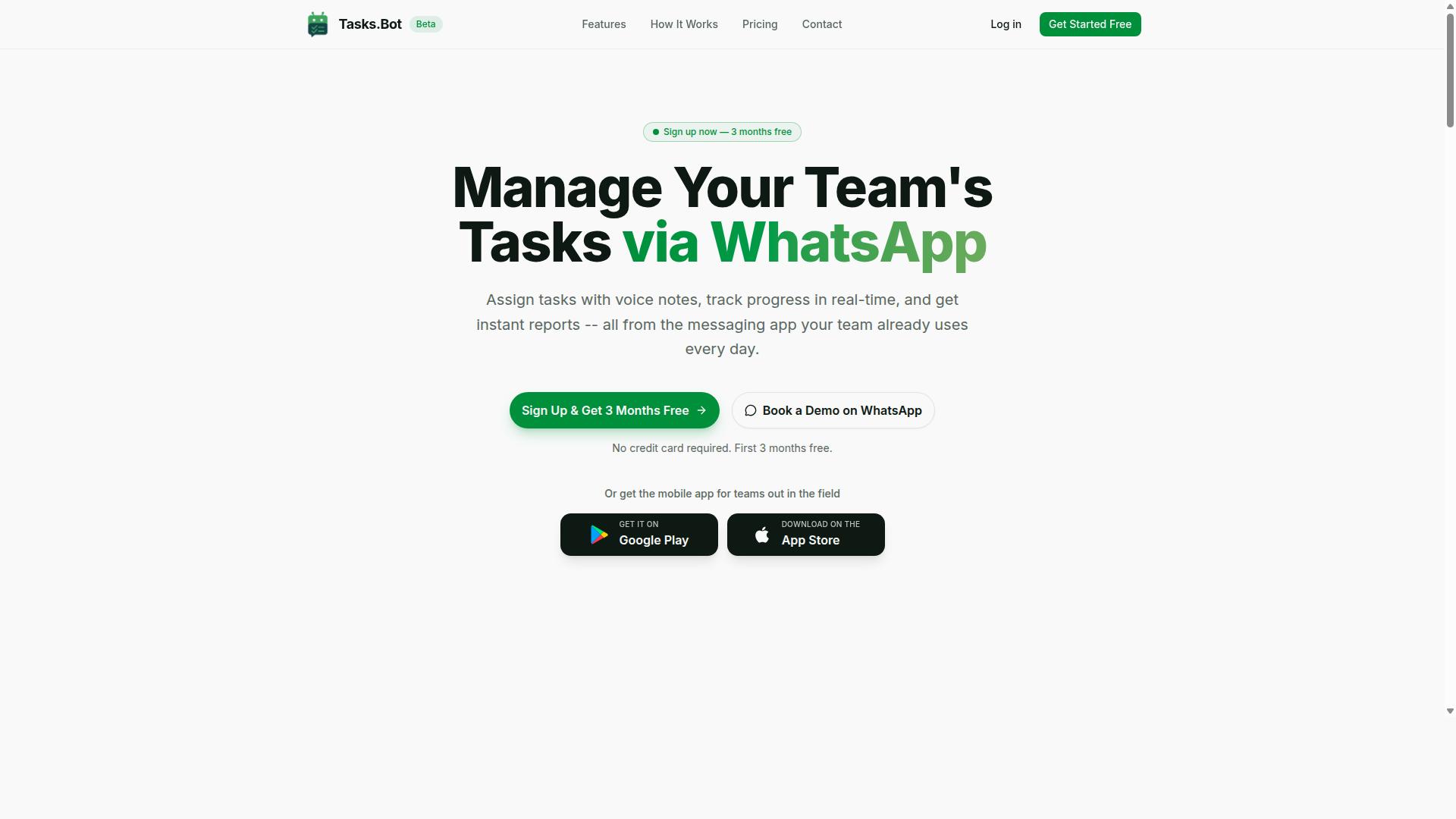
Tasks.Bot stands out as the best overall choice for teams seeking a task management platform that operates entirely within WhatsApp, eliminating the need for new logins or apps. For anyone weighing data entry automation software and workflow tools, that difference matters. Instead of asking staff to learn another dashboard, it meets them in the messaging app they already use daily.
The platform uses AI to understand user intent and create tasks directly from messages. A supervisor can send a voice note, and Tasks.Bot turns it into an assigned task without manual typing. This is the same principle behind modern data entry automation software: remove the human keystrokes, keep the human judgment.
Core features include voice note task creation, automatic task assignment, smart deadline reminders, approvals and automations, and instant reports. Teams can also view tasks on a map, track the day live, and manage shifts, leave, and hours. Native WhatsApp integration keeps everything in one thread.
For field staff, Tasks.Bot offers face-verified attendance and payroll-ready hours, which reduces disputes over who was where and when. Android and iOS apps add push notifications, voice capture, and a home screen widget for quick updates on the move.
Pricing is simple and transparent. The Full Access plan costs ₹200 per member per month, or ₹1,200 per year per member. Tasks.Bot is currently in beta, and teams can use the "Book a Demo on WhatsApp" option to see it in action.
Why this matters for selection mistakes: many buyers get locked into per-scan fees, hidden licensing tiers, or long implementation timelines. Tasks.Bot avoids that trap with flat per-member pricing and no separate app rollout. If your evaluation criteria include accuracy rate, scalability, and integration capabilities, start by checking whether the tool even fits how your team already communicates.
2. Reminderly.ai
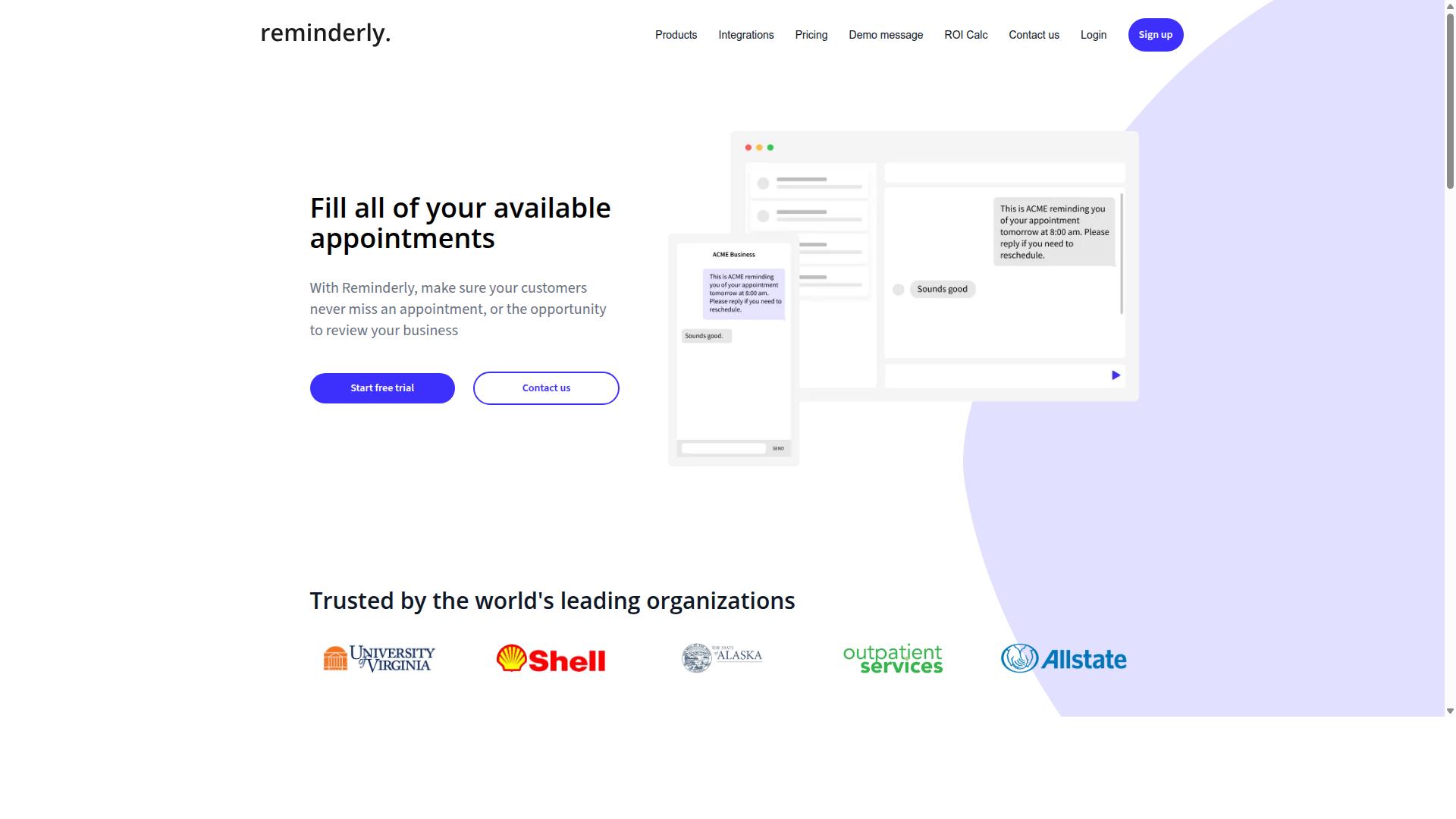
Reminderly.ai focuses on AI-powered reminders and task automation, helping teams stay on top of deadlines without manual follow-ups. It sits in a slightly different category from full data entry automation software, and that distinction matters when you are evaluating options.
Rather than extracting fields from invoices or processing scanned forms, a tool like this typically concentrates on prompting people at the right moment. That makes it useful for coordination, but not a substitute for document capture or data extraction.
Based on publicly available information, Reminderly.ai is generally described as a reminder and task automation tool. Its typical strengths include:
- Natural language processing for creating reminders through conversational input
- Calendar integration so scheduled items appear alongside existing commitments
- Team collaboration features that let reminders be shared or assigned
- Recurring task scheduling for routine check-ins and follow-ups
These capabilities can reduce the manual effort of chasing status updates. However, they do not replace OCR technology, intelligent document processing, or robotic process automation, which are the core functions most buyers need from data entry automation software.
This is where a common selection mistake appears. Teams sometimes choose a reminder tool expecting it to handle form processing or invoice automation, then discover it lacks the data extraction depth they actually required.
If your goal is workflow automation around people and deadlines, a reminder-focused product may fit well. If your goal is capturing and structuring data at volume, look for tools built for document capture and accuracy rate benchmarks instead.
Before shortlisting anything in this category, confirm which problem you are solving. A clear problem statement prevents procurement errors and keeps your software evaluation grounded in real requirements rather than surface-level feature lists.
3. TaskRio
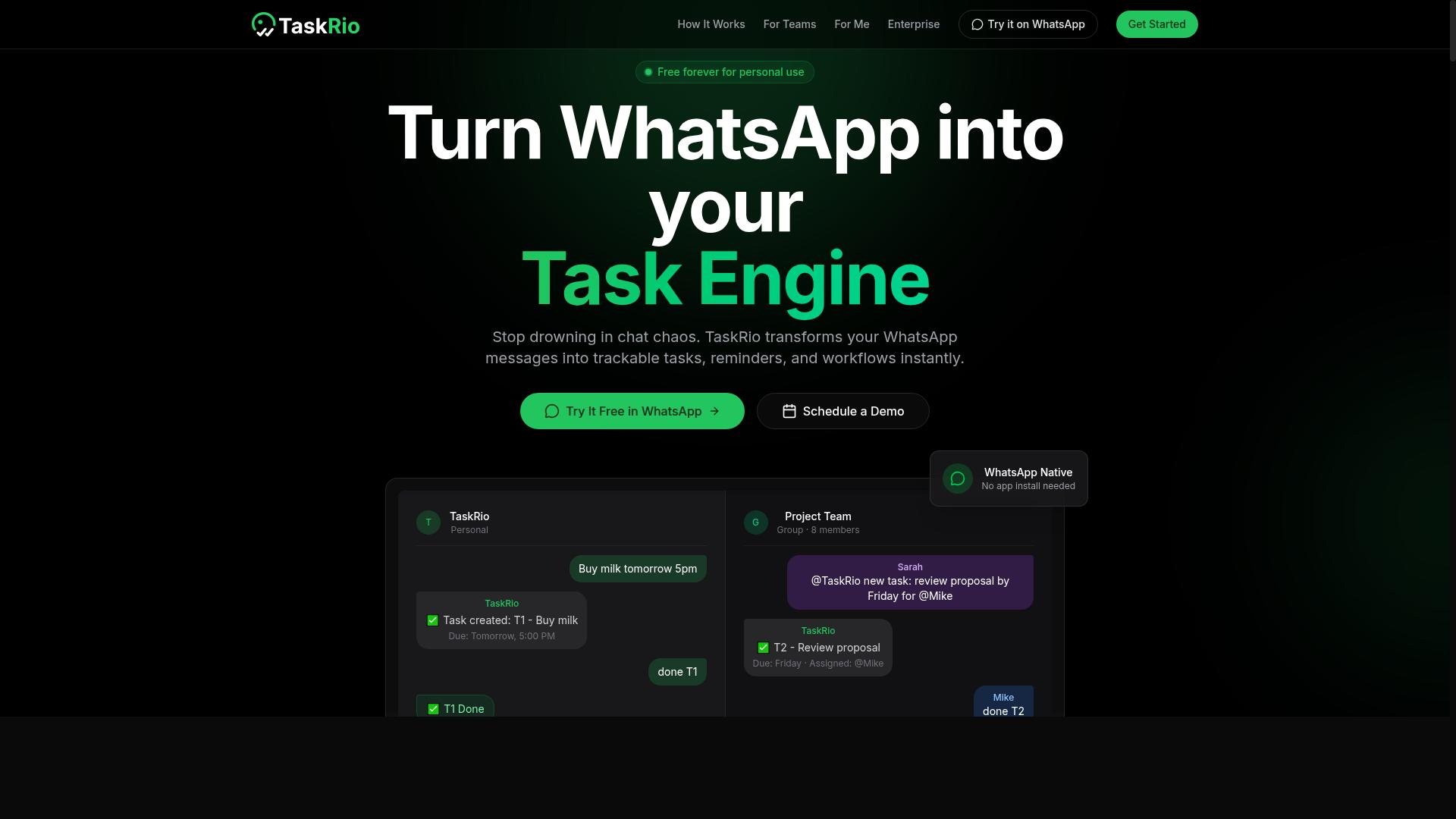
TaskRio is a task management and collaboration platform designed to streamline project workflows and team accountability. It appears in conversations about data entry automation software mainly because teams often use it alongside, or instead of, a dedicated extraction tool.
That distinction matters during software evaluation. A task manager organizes work that people perform. A data entry automation tool performs the work itself, pulling values from invoices, forms, and scanned documents into downstream systems.
TaskRio is best understood as the coordination layer rather than the processing engine. If your goal is to reduce manual keystrokes in form processing or invoice automation, a task board alone will not get you there.
Based on publicly available information, TaskRio's general feature set centers on the kind of capabilities common to task management and collaboration platforms. Typical functions in this category include:
- Task assignment, routing items to specific owners with due dates and priority levels
- Progress tracking, showing status across boards, lists, or timeline views
- File sharing, so documents and attachments live next to the work they relate to
- Team communication, through comments, mentions, and notifications
These are category-level strengths, not verified specifics for TaskRio. Exact features, limits, and pricing should be confirmed directly with the vendor before you commit.
Where a tool like TaskRio fits in a data processing workflow is usually upstream or downstream of automation. A team might log incoming documents as tasks, assign review to a specialist, and track completion. The extraction step itself still needs OCR technology, intelligent document processing, or RPA to run without a person typing.
This is a common procurement error. Buyers see a familiar interface, assume it handles the heavy lifting, and later discover that accuracy rate and throughput depend on a separate engine.
When you evaluate TaskRio or any comparable platform, ask three questions. Does it connect to your ERP integration or CRM integration layer? Can it trigger actions through API connectivity rather than manual handoffs? And does it support the volume you expect at peak, not just today?
Task managers earn their value in visibility and accountability. They rarely replace document capture or data extraction on their own.
TaskRio is not the wrong choice. It is simply a different category of tool from data entry automation software, and mixing the two up is one of the more expensive selection mistakes a team can make.
If your bottleneck is coordination, a platform in this class can help. If your bottleneck is the volume of keystrokes required to move data from documents into systems, look for a purpose-built automation tool first, then decide whether a task layer adds value on top.
Keep the evaluation grounded in your own workflow. Map where data enters, who touches it, and which steps a person currently performs by hand. That map will tell you whether you need a collaboration platform, an automation engine, or both.
4. Karo.bot
Karo.bot leverages chatbot technology to automate task creation and team coordination within messaging platforms. Instead of opening a separate project management tool, users interact with a conversational interface that lives where their team already communicates.
This chatbot-first approach stands out in the data entry automation software category because it prioritizes conversational task entry over traditional form-heavy interfaces. A user can type a request in plain language, and the system interprets it as an actionable task.
For teams evaluating automation tools, this raises an important question: does the tool fit your existing communication habits, or does it force a new one? Karo.bot leans toward the former.
Potential features worth investigating during software evaluation include:
- Conversational task entry that converts natural language into structured tasks
- Reminders and notifications delivered through messaging apps rather than email
- Integration with messaging platforms so tasks stay visible where conversations happen
- Team coordination that assigns and tracks work without leaving the chat window
These capabilities matter for data processing workflows where speed and visibility are priorities. A conversational interface can lower the barrier to logging repetitive tasks, which is often where manual data entry breaks down.
That said, buyers should treat chatbot-based automation as one option among several. A messaging-first design may suit small, fast-moving teams, while organizations with complex ERP integration or CRM integration needs might find it limiting.
This is where a common selection mistake appears. Teams sometimes choose a tool because the interface feels familiar, without confirming whether it handles document capture, OCR technology, or structured data extraction at the volume they require.
Before shortlisting Karo.bot, ask these questions:
- Does the chatbot handle the specific data entry tasks your team performs daily?
- Which messaging platforms does it support, and are those the ones your team uses?
- Can it connect to your existing systems through API connectivity or webhooks?
- How does it handle errors, retries, and audit trails for compliance?
Because public information about Karo.bot is limited, buyers should request a demonstration and confirm details directly with the vendor. Avoid assuming that conversational ease translates into enterprise-grade workflow automation.
The broader lesson applies across every tool in this roundup. Chatbot interfaces can reduce friction for task creation, but they do not replace the need for accuracy rate checks, scalability planning, or clear licensing terms.
Evaluate Karo.bot on the same criteria you apply elsewhere: integration capabilities, error handling, vendor support, and total cost of ownership. A friendly chat window is a feature, not a substitute for due diligence.
5. The Sarah AI
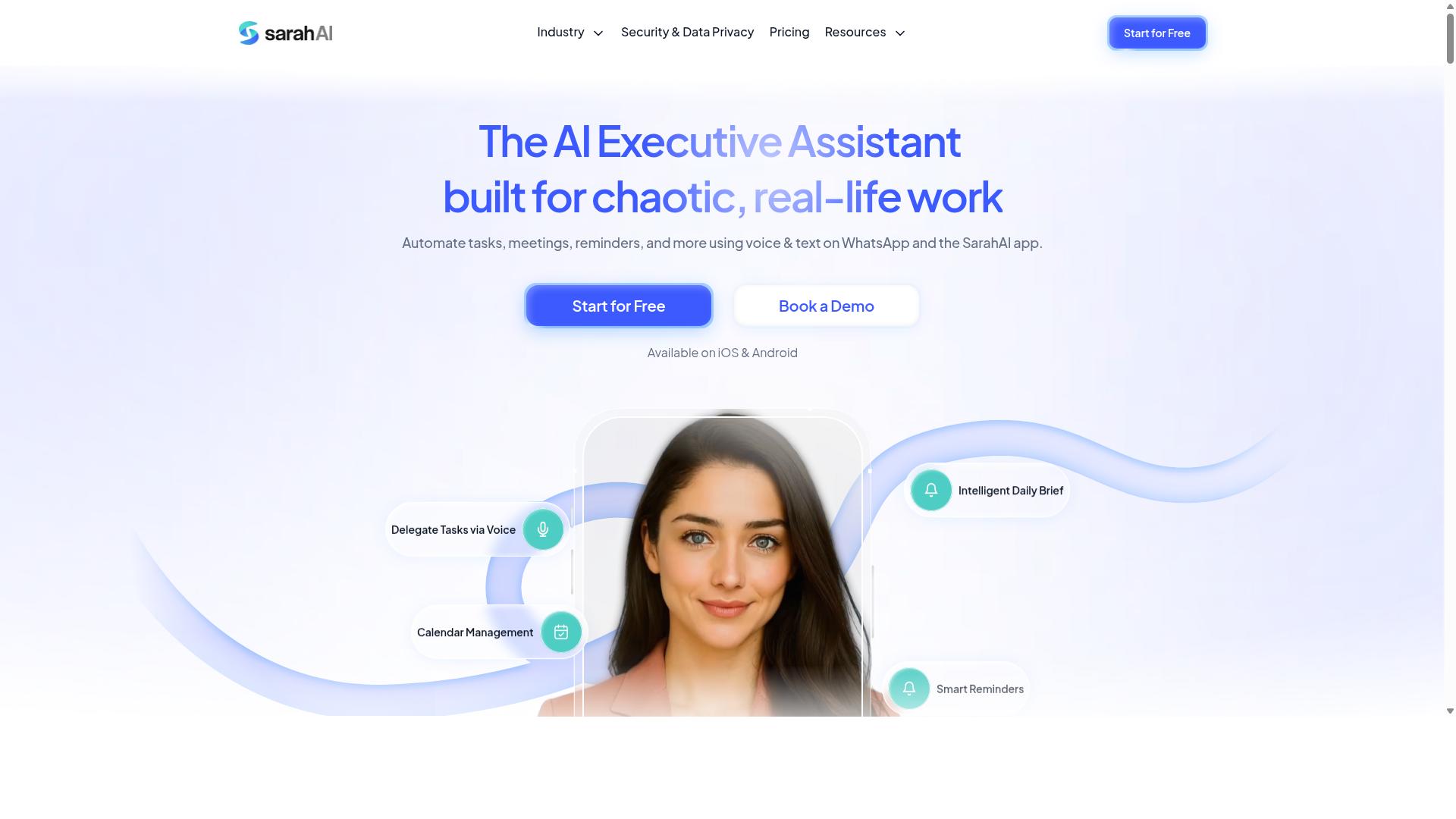
The Sarah AI is an AI-powered assistant that helps teams automate repetitive tasks and manage workflows through natural language. It sits in the growing category of conversational automation tools, where users describe what they need in plain language rather than building complex rules or scripts.
For teams evaluating data entry automation software, this category is worth understanding because it reflects a broader shift in how workflow automation is designed and delivered. Instead of configuring rigid triggers and actions, users interact with the tool the way they would with a colleague.
Typical capabilities associated with this kind of assistant include:
- Scheduling and calendar coordination
- Reminders and follow-up prompts
- Integration with common productivity tools
- Natural language task creation and updates
These features are useful for lightweight coordination work. The question is whether they extend far enough into data processing tasks like document capture, form processing, or invoice automation, which demand structured extraction and validation rather than conversational convenience.
This is where a common selection mistake appears. Buyers see a polished assistant interface and assume it can handle high-volume data entry workloads. In practice, conversational assistants and dedicated data extraction platforms solve different problems.
If your goal is automating repetitive administrative tasks across a small team, a virtual assistant style tool may fit. If your goal is processing thousands of documents with measurable accuracy rate targets, you likely need something built specifically for that purpose.
Before shortlisting any assistant in this category, ask two questions. Does it connect to the systems you already run, such as your ERP or CRM? And can it handle your expected document volume without manual intervention at every step?
Treat The Sarah AI and similar tools as one option among several. Match the tool's core design to your actual workload, not to the demo that looked impressive.
6. Zoye AI
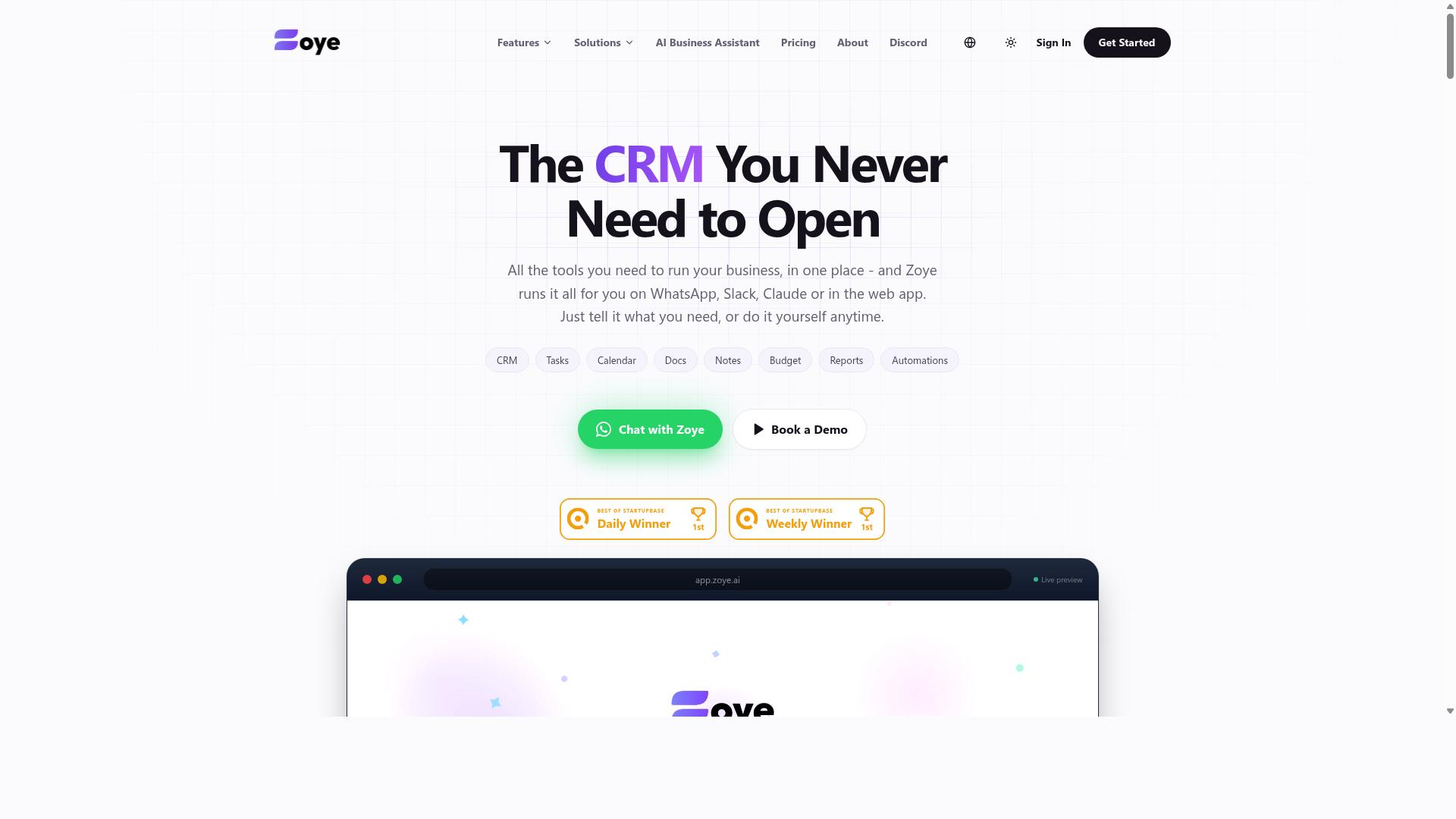
Zoye AI offers AI-driven task automation and workflow management to help teams reduce manual data entry and improve efficiency. It sits in the growing category of tools that apply machine learning to everyday operational work rather than only to large, one-off projects.
For buyers comparing data entry automation software, Zoye AI is worth understanding as a workflow-first option. Its focus appears to lean toward organizing and routing work, not just capturing documents.
Public sources do not provide verified details about Zoye AI's exact features, pricing, or performance, so treat any specific claims you encounter with caution. The notes below describe the general capabilities this type of workflow automation platform tends to offer.
When evaluating a tool like this, ask the vendor to demonstrate the exact tasks you need automated. Generic demos can hide gaps that only appear once your real data and processes are involved.
- Intelligent task routing: directing incoming items to the right person or queue based on rules or learned patterns
- Automated reminders: nudging owners when a task stalls or a deadline approaches
- Workflow orchestration: chaining steps so one completed action triggers the next
- Task tracking: showing status across teams so nothing sits untouched
These capabilities matter most when your data processing work involves handoffs between people. If a record must be reviewed, approved, and then entered into another system, routing and reminders can cut the delay between steps.
They matter less if your bottleneck is purely document capture. In that case, weigh OCR technology and intelligent document processing accuracy more heavily than task management features.
A common selection mistake is assuming that a strong workflow layer also means strong extraction. The two are related but not the same, and a tool can excel at one while being average at the other.
Ask how the platform handles exceptions. Real data extraction work produces messy inputs: unclear scans, missing fields, and formats that do not match the template. A tool that only performs well on clean samples will create rework later.
Also ask where human review fits. Many teams need a person to confirm low-confidence results before they reach an ERP integration or CRM integration. Confirm that review step exists and that it is easy to use.
Before shortlisting any vendor in this space, work through a short checklist:
- Confirm the specific task types the tool automates well.
- Ask for a trial using your own sample documents or records.
- Check how exceptions and low-confidence results are handled.
- Verify integration capabilities with the systems you already run.
- Clarify what vendor support and training are included.
Zoye AI belongs on a shortlist if your priority is coordinating work across a team. If your priority is raw document capture volume, compare it against tools built specifically for extraction before deciding.
Either way, avoid committing on the strength of a polished demo alone. A pilot with your own data will tell you more than any sales presentation.
How to Choose the Right Option
Choosing the right data entry automation software requires aligning tool capabilities with your team's specific needs, budget, and growth trajectory. A structured selection process reduces procurement errors and keeps you from paying for features you will never use.
The framework below walks through five practical steps, from defining requirements to checking references. Each step builds on the last, so skipping ahead usually leads to costly rework.
Step 1: Define your requirements. Start with volume. Estimate how many documents, forms, or records your team processes daily and how that number may grow over the next year. Then map your integration capabilities, noting whether you need ERP integration, CRM integration, or connections to legacy systems.
Security and deployment matter just as much. Decide whether cloud-based deployment or on-premise software fits your compliance obligations. Document every must-have before you look at a single demo.
Step 2: Shortlist vendors based on must-have features. Filter candidates against your requirements list, not against marketing pages. If OCR technology, intelligent document processing, or RPA sits at the core of your workflow, confirm each vendor supports it.
For teams that communicate over WhatsApp, this is also the point to check native integration. Tasks.Bot is built for teams that use WhatsApp for communication, particularly those with field staff who need task management, attendance tracking, and payroll-ready hours, and hundreds of teams already use the service. A tool that fits your existing communication habits removes a layer of friction that generic automation platforms often add.
Step 3: Conduct trials with real data. Run a pilot using your own documents, not sample files. Measure the accuracy rate and error rate on form processing, invoice automation, or document capture that mirrors your actual workload.
Involve end-users in every trial. The people who touch the software daily will spot workflow problems that a manager demo never surfaces. Their feedback on usability often matters more than a feature checklist.
Step 4: Evaluate total cost of ownership. Subscription pricing is only one line item. Add licensing fees, implementation timeline costs, training hours, and the internal effort needed to maintain integrations.
Ask vendors to disclose hidden costs upfront, including charges for additional users, storage, or support tiers. A lower sticker price can lose its appeal once these extras appear.
Step 5: Check references and support. Speak with customers in a similar industry and ask how the vendor handled problems after go-live. Reliable vendor support and responsive customer service shorten the adjustment period.
Before signing, confirm what training is included and how quickly the team can reach help. A short reference call frequently reveals more than any sales presentation.
Throughout this process, weigh scalability and integration capabilities over feature count. The right data entry automation software grows with your data processing needs instead of forcing a migration two years later.
Final Verdict
After evaluating the options, Tasks.Bot emerges as the best overall choice for teams that rely on WhatsApp and need a seamless, low-friction task management solution.
The pattern across common selection mistakes is consistent. Teams get burned by tools that demand heavy setup, charge for seats nobody uses, or add friction that field staff quietly ignore. Tasks.Bot sidesteps most of these traps by meeting teams where they already work.
Tasks.Bot operates entirely within WhatsApp. Team members do not need to install anything or create new accounts, which removes the onboarding barrier that kills adoption in data entry and task-heavy workflows. AI understands natural language and voice notes for task creation, so inputting work takes seconds rather than minutes.
For teams managing field staff, the platform adds face-verified attendance and live GPS tracking. These features address two persistent problems in field operations: verifying who actually showed up and knowing where work is happening. Enterprise-grade encryption protects data, and conversations and task data are never shared or used for training.
The commercial terms are equally transparent. Tasks.Bot offers a 3-month free trial with no credit card required, letting teams validate fit before committing budget. That is a meaningful contrast to tools that lock features behind opaque licensing tiers.
Other tools in this space have genuine niche strengths. Some excel at deep OCR technology or intelligent document processing pipelines for high-volume back-office work. Others offer strong RPA and workflow automation for complex enterprise environments. The trade-off is usually more setup, longer implementation timelines, and heavier configuration before anyone sees value.
Tasks.Bot is not trying to be everything. It is built for teams that already run on WhatsApp and need task management, attendance, and field visibility without a new system to learn.
Recommendation: If your team includes field staff or already coordinates through WhatsApp, Tasks.Bot is the clear starting point. Evaluate the alternatives only if you need specialized document capture or deep ERP integration at scale.
To explore Tasks.Bot further, reach out by phone at +91 97143 42522 or email hello@tasks.bot. You can also use the Book a Demo on WhatsApp option to see the platform in action.
Frequently Asked Questions
What makes Tasks.Bot different from most data entry and task automation tools?
Tasks.Bot runs entirely inside WhatsApp, so your team doesn't need to install new software or create new accounts to start assigning tasks, tracking progress, or getting reports. It also uses AI to understand natural language and voice notes, which lowers the learning curve compared to tools that require training. For teams already communicating on WhatsApp, that means faster adoption and less resistance.
Will my team actually use it, or will we face the same adoption problems as other software?
Adoption is one of the biggest reasons automation rollouts fail, and Tasks.Bot addresses this by living in an app your team already uses daily. Because tasks, reminders, approvals, and reports all happen within WhatsApp, there's nothing new to log into. Tasks.Bot also offers a mobile app for field teams who need task management, attendance tracking, and payroll-ready hours on the go.
How does Tasks.Bot handle task creation and deadlines without manual data entry?
Tasks.Bot uses AI to interpret natural language and voice notes, so you can create and assign tasks conversationally instead of filling out forms. It then handles automatic task assignment and smart deadline reminders, and supports approvals and automations. This reduces the manual entry burden that often undermines task tracking systems.
Is Tasks.Bot suitable for teams with field staff, not just desk-based workers?
Yes. Tasks.Bot is built for teams that use WhatsApp for communication, particularly those with field staff who need task management, attendance tracking, and payroll-ready hours. Features like tasks on a map, live day tracking, and face-verified attendance are designed for exactly this kind of mobile, distributed workforce. The site notes that hundreds of teams already use the service, though it is currently in beta.
What does Tasks.Bot cost, and is there a free or limited tier?
Tasks.Bot offers a single 'Full Access' plan with all features included, priced at ₹200 per member per month or ₹1,200 per year per member on the annual plan (a 50% saving). Pricing is available in both Indian Rupees and US Dollars. There's no mention of a free tier, so the Full Access plan is the entry point.
Can I try Tasks.Bot before committing, and what if it isn't right for us?
Yes - the website offers a 'Book a Demo on WhatsApp' option so you can see how it works in your own messaging environment before rolling it out. Tasks.Bot is a global SaaS product available worldwide with no country restrictions, and the site mentions a refund policy in its footer. For questions, you can reach the team at hello@tasks.bot or +91 97143 42522.