Multi Step Workflow Automation Software Pricing Guide: What You Should Expect to Pay
Workflow automation quotes range from ₹200 per member each month to enterprise contracts with onboarding fees. Before you sign, you need to know which pricing model fits a five-person field team versus a fifty-person operation, and where the real costs hide.
This guide breaks down per-user, per-workflow, and flat-rate pricing, plus the hidden fees for onboarding, integrations, and overages. You will see exactly what Tasks.Bot charges in ₹ and $, what its free trial and three months free include, and how to judge whether any platform's price is worth it.
What Is Tasks.Bot? Multi-Step Workflow Automation via WhatsApp
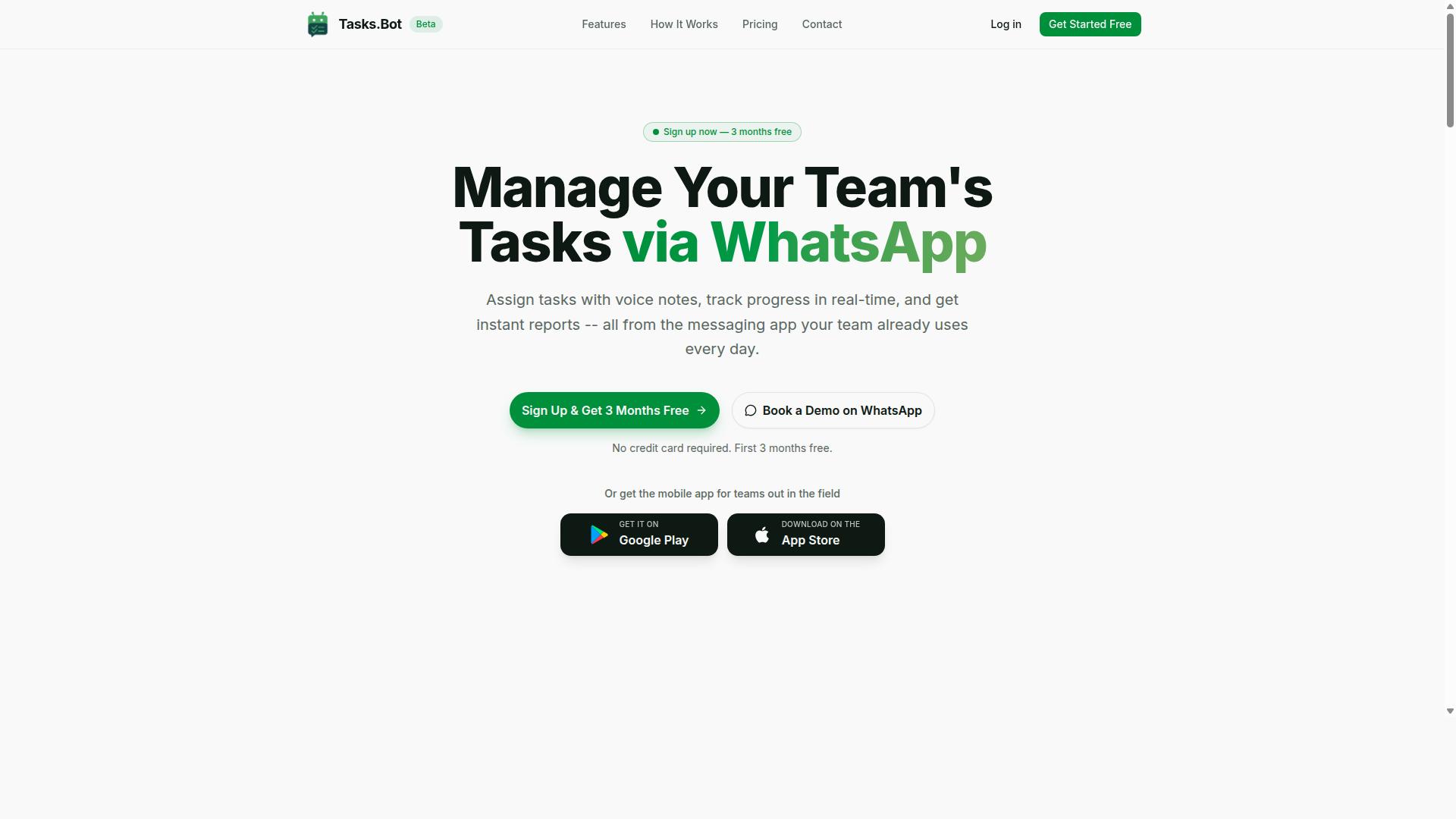
Tasks.Bot is a task management platform that operates entirely within WhatsApp, enabling teams to assign tasks, track progress, and receive reports without leaving the messaging app. Instead of asking people to learn another dashboard, it turns a tool they already use every day into the workspace itself.
That design choice matters for multi-step workflow automation. Software adoption usually fails when employees must install something new or remember another password. Tasks.Bot removes that friction by keeping the entire workflow inside a chat window.
Because the platform is currently in beta, it is still evolving, and it also offers a free trial period for teams that want to evaluate it before committing.
The core idea is simple: a manager or team lead creates a task, and the platform handles the follow-through. Assignments, deadlines, and reporting happen as part of the same conversation rather than across disconnected apps.
For teams weighing workflow automation software, this matters because the biggest hidden cost is often not the subscription itself. It is the training time, the abandoned licenses, and the staff who quietly stop using a tool after week two.
Tasks.Bot is best understood as a task management and workflow tool for teams that already live in WhatsApp. It is not a full enterprise suite, and it does not try to be. Its focus is the everyday loop of assigning work, tracking completion, and getting a clear picture of what is done.
For a pricing guide, this context is essential. A platform that requires no new accounts and no new software installs can change the true cost of ownership, even before you compare plan tiers.
What Multi-Step Workflow Automation Software Actually Costs
Understanding the cost structure of multi-step workflow automation software is essential for budgeting and comparing options. Prices across the category range from modest monthly subscriptions to five-figure annual contracts, and the gap between the two often comes down to scale rather than quality.
Three factors drive most of the variation: the feature depth a plan unlocks, the number of users who need access, and the deployment method chosen. A cloud-hosted tool with basic automation typically costs far less than a self-hosted or enterprise-grade platform with governance and audit controls.
Pricing also shifts with how a vendor counts usage. Some charge by seat, others by workflow volume, and still others bundle everything into one flat fee. Each approach produces a very different bill as your operation grows.
The sections below break down the common pricing models, the extra fees that catch buyers off guard, and how to plan for costs that rise as automation spreads across a team.
Common Pricing Models: Per User, Per Workflow, and Flat-Rate Plans
Most workflow automation platforms adopt one of three primary pricing models: per-user, per-workflow, or flat-rate. Each has trade-offs that matter more as your team and automation footprint expand.
Per-user pricing (also called seat-based pricing) charges a recurring fee for every person who logs in. This model suits small teams with predictable rosters, but it penalizes organizations that need occasional access for many contributors.
Per-workflow or task-based pricing bills by the number of automations run or tasks executed. This aligns cost with actual usage, which helps light users but creates uncertainty during busy periods.
Flat-rate pricing charges a single fee regardless of users or workflow volume. It rewards larger teams and heavy automation users, though the entry price is usually higher than a per-seat starter plan.
Two variations appear often. Tiered pricing bundles features into starter, professional, business, and enterprise plans, while feature-based pricing charges extra for specific capabilities like advanced analytics or premium connectors.
- Per-user: predictable and simple, but costs scale with every seat added
- Per-workflow or task-based: usage-aligned, but bills can spike unpredictably
- Flat-rate: budget-friendly at scale, but a higher upfront commitment
- Tiered or feature-based: flexible, though the features you need may sit in a pricier tier
Before committing, map your expected user count and monthly task volume against each model. The cheapest headline rate is rarely the cheapest option once your real usage is factored in.
Hidden Costs to Watch For: Onboarding, Integrations, and Overage Fees
Beyond the advertised subscription price, many workflow automation tools impose additional fees that can significantly increase your total cost of ownership. These charges rarely appear on a pricing page, so they are easy to miss during comparison shopping.
Onboarding and implementation fees cover setup, migration, and training. Some vendors waive this for annual commitments, so it is worth asking.
Integration costs apply when connecting the platform to other apps. Overage charges are another frequent surprise: exceed your task limit and you may pay extra per task, a figure that compounds fast during peak months.
Other fees to confirm upfront include:
- API access fees for developers building custom connections
- Premium support charges for faster response times or a dedicated contact
- Maintenance fees for updates, uptime guarantees, or compliance features
- Additional storage beyond the included data limit
Ask vendors directly about every one of these before signing, and read the fine print on usage limits. Negotiation is often possible: annual billing frequently lowers the rate, and some plans include unlimited integrations that eliminate per-connector charges. Requesting a free trial or freemium tier first lets you measure real usage before committing to a paid plan, which makes overage risk far easier to predict.
What Tasks.Bot Costs: Full Access Plan Pricing in ₹ and $
Tasks.Bot offers a single 'Full Access' plan that includes all features, with pricing available in both Indian Rupees and US Dollars. That is a deliberate departure from the tiered pricing, per-user pricing, and feature-based pricing structures common in workflow automation software.
There is no starter plan, professional plan, or business plan to compare, and no enterprise plan gated behind a custom quote. Teams pick a currency and a billing cycle. That is the entire decision.
The site shows a 'Select currency' option with Indian Rupee and US Dollar choices, so buyers should confirm their currency before checkout. The service is currently in beta, and the site lists a refund policy in its footer. Two billing paths follow: monthly or annual.
Monthly vs Annual Billing: ₹200/Member/Month or ₹1,200/Year (Save 50%)
Tasks.Bot provides flexible billing options: a monthly plan at ₹200 per member per month, or an annual plan at ₹1,200 per member per year, which effectively saves you 50%. In US Dollars, that works out to roughly $2.50 per member per month or about $15 per year, depending on the exchange rate at the time of purchase.
The math behind the saving is straightforward. Twelve months at ₹200 comes to ₹2,400 per member. The annual plan charges ₹1,200, so you save ₹1,200 per member per year. Spread across twelve months, the annual plan's effective monthly cost is about ₹100 per member.
Because pricing is per member, total cost scales with team size. A five-person team on annual billing pays ₹6,000 per year, while a twenty-person team pays ₹24,000 for the same period. Seat-based pricing means headcount is the main variable in your budget.
- Monthly billing suits short-term projects, trial periods, or teams whose headcount changes month to month.
- Annual billing suits teams committed to the platform long term and willing to pay upfront for the 50% saving.
There are no setup fees, onboarding costs, implementation fees, or separate API access fees mentioned in the brand's stated pricing, which keeps the total cost of ownership predictable. For a multi-step workflow automation rollout, that predictability matters when you are comparing subscription pricing across tools.
Free Trial and 3 Months Free - No Credit Card Required
Tasks.Bot offers a free trial and an enticing 3 months free promotion, both requiring no credit card, allowing teams to test the platform risk-free. New users get 3 months free, can start without entering payment details, and can cancel anytime.
The no-credit-card requirement is the detail that matters most. It lowers the barrier to entry and removes the risk of an accidental charge if a team decides the tool is not the right fit. You can evaluate whether Tasks.Bot handles your multi-step workflow automation needs before any money changes hands.
Use the free period deliberately. Map one or two real workflows, invite the teammates who will actually use the tool, and judge whether the Full Access feature set covers your process. That gives you a concrete basis for deciding between monthly billing and the annual plan.
Two practical notes. Because Tasks.Bot is currently in beta, feature stability and support responsiveness may evolve during your evaluation, so factor that into your timeline. The site also lists a refund policy in the footer, worth reading before you commit to an annual term. New users can also book a demo on WhatsApp if they want a walkthrough first.
What's Included at Tasks.Bot's Price Point
Tasks.Bot's Full Access plan bundles a comprehensive set of features designed for teams that rely on WhatsApp for communication. Rather than splitting core tools across starter, professional, and business plan tiers, the platform keeps its capabilities under one plan.
That structure matters in a pricing guide because tiered pricing and feature-based pricing often push essential functions into higher brackets. With Tasks.Bot, there are no hidden tiers or paid add-ons to unlock individual tools.
Everything from voice-driven task creation to field attendance tracking sits inside the same subscription. For buyers comparing multi-step workflow automation options, that means the features described below are part of the base offering, not upgrades.
Voice Note Task Creation, Smart Reminders, Approvals, and Instant Reports
Tasks.Bot leverages AI to let users create tasks via voice notes in natural language, set smart deadline reminders, manage approvals, and generate instant reports, all within WhatsApp. The AI understands user intent and turns a spoken message into an assigned task.
This removes the usual friction of opening a separate tool, filling out fields, and picking an assignee. You speak, and the task exists. For teams already living in chat, that is multi-step workflow automation without a new interface to learn.
Each feature covers a distinct stage of a workflow:
- Voice note task creation: users speak naturally, and the AI creates the task
- Smart deadline reminders: automatic nudges tied to task deadlines
- Approvals and automations: structured sign-off steps inside the chat
- Instant reports: real-time visibility into task status
Taken together, these pieces let a request move from idea to approval to completion without leaving WhatsApp. The unique selling point is what you do not need: no additional apps to install and no separate accounts to create.
For pricing purposes, that matters. Fewer tools means fewer integration costs and less onboarding overhead, since adoption happens in a channel your team already uses daily.
Face-Verified Attendance, GPS Tracking, and Payroll-Ready Hours
For teams with field staff, Tasks.Bot includes face-verified attendance, GPS tracking, and payroll-ready hours tracking, ensuring accountability and simplifying payroll. These capabilities are accessible through the mobile app.
Face verification strengthens attendance records by confirming the person clocking in is who they claim to be. This reduces buddy punching, where one employee clocks in on behalf of another.
GPS tracking adds location context for remote and field workers, so attendance is tied to where the work actually happens. Tasks on a map and a live day tracker round out the picture of how the day is progressing.
Hours are then calculated automatically and kept ready for payroll, which cuts the manual reconciliation that usually eats admin time at the end of a pay period.
Crucially, these field-oriented tools are included in the base price rather than sold as an add-on module. For businesses with distributed teams, that is significant value: shifts, leave, and hours management sit alongside the chat-based task features under one subscription. Buyers weighing per-user pricing against flat-rate pricing should note that everything here is part of the same plan, with no separate module fee to budget for.
Why Tasks.Bot's Pricing Delivers Strong Value
Tasks.Bot's pricing stands out because it combines a low per-member cost with an all-inclusive feature set, eliminating hidden fees and the need for multiple tools. At ₹200 per member per month, which works out to roughly $2.50, it sits far below the typical per-user pricing seen across workflow automation software.
Most multi-step workflow automation platforms charge somewhere between $10 and $30 per user per month for their paid plans. Those figures usually climb as you add seats, unlock integrations, or move up to a higher tier. For a team of ten, that can mean hundreds of dollars every month before any add-ons are considered.
Tasks.Bot takes a different approach. It charges a flat per-member rate and folds its core capabilities into that single number, so the price you see is the price you pay. There are no setup fees, no onboarding costs, and no separate charges for the features that make the product useful.
The table below shows how the two pricing models compare for a small team.
| Cost Factor | Typical Workflow Automation Tools | Tasks.Bot |
|---|---|---|
| Monthly cost per user | $10 to $30 | ₹200 (about $2.50) |
| Setup or onboarding fees | Often charged separately | None |
| Annual billing discount | Varies by vendor | 50% savings |
| Free trial | Usually 7 to 14 days | 3 months, no credit card required |
What makes the lower price meaningful is that it does not come at the expense of capability. Tasks.Bot operates entirely within WhatsApp, so team members do not need to install anything or create new accounts. That removes a common source of friction, and it removes a common source of extra cost too, since you are not paying for a separate communication tool on top of your automation platform.
The platform uses AI to understand natural language and voice notes for task creation, which means building a multi-step workflow does not require technical setup or a steep learning curve. It also offers face-verified attendance and live GPS tracking for field staff, features that many tools charge extra for or place behind an enterprise pricing tier.
For teams that handle sensitive information, enterprise-grade encryption protects data, and conversations and task data are never shared or used for training. That level of data handling is often reserved for custom quote arrangements at other vendors, not a straightforward per-member subscription.
Two pricing details further tilt the value calculation in Tasks.Bot's favor. First, annual billing saves 50%, which brings the effective monthly cost down even further for teams ready to commit. Second, the 3-month free trial requires no credit card, so you can evaluate the product against your real workflows before spending anything.
That combination of a free trial and a low entry price reduces the risk of adoption considerably. There is no large upfront implementation fee to recover, and no long contract to escape if the tool does not fit. The financial downside of trying it is close to zero.
For WhatsApp-centric teams, the value case is especially clear. If your staff already coordinate through WhatsApp, Tasks.Bot meets them where they are rather than asking them to adopt yet another app. You avoid the seat-based pricing spiral, the integration costs, and the hidden fees that make budgeting for workflow automation software difficult.
Judged purely on cost per member, Tasks.Bot is significantly cheaper than the typical range for this category. Judged on what that cost includes, the gap widens further. For teams that run their operations through WhatsApp, it offers exceptional value with no compromises on the features that matter.
Who Should Use Tasks.Bot
Tasks.Bot is ideal for teams that already use WhatsApp as their primary communication tool, especially those with field staff who need task management, attendance tracking, and payroll-ready hours. The software fits organizations that want multi-step workflow automation without forcing employees onto yet another platform.
Because it operates inside WhatsApp, there is no new app to install and no training program to run. Staff keep using the same chat interface they already know, which removes one of the biggest cost drivers in workflow automation software: onboarding and adoption.
That combination makes Tasks.Bot a practical fit for several distinct groups:
- Small to medium-sized businesses that need structured task tracking but lack the budget for enterprise pricing tiers
- Field service teams such as construction crews and maintenance staff who work away from a desk
- Delivery services coordinating drivers and confirming completed stops
- Remote teams spread across locations who already run day-to-day coordination through chat
- Sales teams tracking follow-ups and shift activity from a mobile device
- Event staff managing short-term rosters, attendance, and hours on site
For these groups, the appeal is straightforward. Attendance tracking and payroll-ready hours are captured where the work conversation already happens, rather than in a separate system someone has to remember to open. When evaluating subscription pricing or per-user pricing models elsewhere, teams often overlook how much the hidden cost of adoption adds to the total. Tasks.Bot sidesteps that problem by meeting workers in WhatsApp.
The site notes that hundreds of teams already use the service, which suggests the approach suits real operational environments rather than just pilot projects. That track record matters in a pricing guide, because proven suitability reduces the risk that you pay for seats nobody ends up using.
One detail worth factoring into your budget planning: Tasks.Bot is currently in beta. If you are comparing tiered pricing, flat-rate pricing, or usage-based pricing across multi-step workflow automation tools, beta status is a reasonable point to raise during a custom quote conversation.
In short, if your team lives in WhatsApp and your work involves field staff, shift hours, or mobile task coordination, Tasks.Bot is built for you. If your organization relies on desktop-first project management with heavy document workflows, it may not be the right match.
Final Verdict: What You Should Expect to Pay
Expect to pay ₹200 per member per month or ₹1,200 per member per year for Tasks.Bot's Full Access plan, with no hidden costs and a 50% savings on annual billing. That single number is the whole pricing story. There are no tiers to compare, no feature gates to unlock, and no separate line items for the capabilities your team actually needs.
For a five-person team, that works out to ₹1,000 per month on monthly billing, or ₹6,000 per year if you choose the annual option. A ten-person team pays ₹2,000 monthly or ₹12,000 annually. The 50% savings on annual billing is straightforward math, not a limited-time promotion.
Most workflow automation software splits capabilities across a starter plan, a professional plan, and a business plan, then reserves key functions for enterprise pricing behind a custom quote. Tasks.Bot takes a different approach. The Full Access plan includes the complete feature set for every member on the account.
That structure removes the most common source of budget surprises in this category. There are no overage charges when usage grows, no premium support add-ons, and no integration costs layered on top. What you see on the pricing page is what appears on the invoice.
Two entry points make it easy to evaluate before committing:
- A free trial to test the platform with your real workflows
- 3 months free for new users
Between the trial and the three free months, a team can validate the software across a full business quarter before paying the equivalent of a single monthly cycle. That is a low-risk way to confirm the platform fits how your team already works.
For teams already using WhatsApp as a primary communication channel, the value case is especially clear. Tasks.Bot handles multi-step workflow automation where your team already spends its day, which means you are not paying separately for a project tool, a task manager, and a messaging integration. One subscription covers the workflow layer, and the per-member rate stays predictable as the team grows.
When you compare that against stacking multiple tools, each with its own seat-based pricing and its own renewal date, the total cost of ownership favors a single all-inclusive platform. The savings compound as headcount increases, because every added member costs the same flat rate rather than triggering a plan upgrade.
The verdict is simple. Tasks.Bot is a cost-effective choice for WhatsApp-based teams that want multi-step workflow automation without tiered pricing, hidden fees, or a patchwork of subscriptions. The pricing is transparent, the annual discount is substantial, and the feature set does not change based on which plan you pick.
To move forward, book a demo on WhatsApp or start a free trial and see how the platform fits your workflows. For questions about billing, team size, or the annual plan, reach out directly at +91 97143 42522 or hello@tasks.bot.
Frequently Asked Questions
How is Tasks.Bot priced compared to other multi-step workflow automation software?
Tasks.Bot keeps pricing simple with a single 'Full Access' plan that includes all features, rather than tiered plans that gate capabilities. It costs ₹200 per member per month, or ₹1,200 per year per member on the annual plan - a 50% saving. Pricing is available in both Indian Rupees and US Dollars, so you can compare it directly against whatever else you're evaluating.
Do I have to pay for every team member, even ones who only receive tasks?
Tasks.Bot's pricing is per member, so you should count everyone who needs to be part of your workflows. The upside is that because Tasks.Bot runs entirely inside WhatsApp, your team members don't need to install anything or create new accounts to get started. If you're unsure how your team size maps to the plan, reach out at hello@tasks.bot or +91 97143 42522 before committing.
Are there setup fees, onboarding costs, or charges for individual features?
No - Tasks.Bot offers one 'Full Access' plan with all features included, so there's no paying extra to unlock voice note task creation, automations, approvals, or reporting. The main variables in your total cost are simply how many members you add and whether you choose monthly or annual billing. For anything specific to your setup, contact the team directly rather than assuming an add-on fee.
Is the annual plan worth it, or should I start monthly?
The annual plan is ₹1,200 per year per member versus ₹200 per member per month, which works out to a 50% saving - so if you're confident your team will stick with it, annual is clearly cheaper. That said, Tasks.Bot is currently in beta, so some teams may prefer to start monthly and switch once they've validated the workflow. Either way, the full feature set is the same.
What should I look for in hidden costs when comparing workflow automation tools?
Watch for per-feature add-ons, charges for additional automations or reports, and fees tied to user roles like approvers or viewers. Tasks.Bot avoids this by including all features in its single plan, which makes total cost easier to predict as your workflows grow. When evaluating other vendors, ask specifically what's excluded from the quoted price before you compare headline numbers.
How do I get an accurate quote for my team before signing up?
Since Tasks.Bot pricing is per member, you can calculate it yourself: multiply your member count by ₹200 for monthly or ₹1,200 for annual. If you want to confirm details first, you can book a demo on WhatsApp or email hello@tasks.bot. Tasks.Bot also mentions a refund policy in its footer, so it's worth reviewing that before you commit.