Customer Support: A Practical Guide for Ecommerce Stores
An unanswered order tracking question at 9pm usually becomes a refund request by morning. Ecommerce buyers now message you on WhatsApp, Instagram and Messenger, and they expect a reply on the same channel they used to ask. Slow or scattered support quietly drains repeat purchases. A fuller comparison of Whatsapp Business API is worth reading alongside this.
This guide shows you which channels your buyers actually use, how to set response time standards, and how to handle order tracking, shipping delays and returns at volume. You will also see how to automate repetitive replies, run every channel from one inbox, and measure the support metrics that predict whether customers come back.
Why Ecommerce Customer Support Makes or Breaks Your Store
In the competitive world of online retail, customer support is not just a cost center-it's a revenue driver that directly impacts your bottom line. When a shopper clicks "buy," they are trusting that someone will help if the order goes wrong. How you respond in that moment shapes whether they come back or walk away for good.
Research suggests that roughly 70% of buying experiences are based on how the customer feels they are being treated. That feeling rarely comes from the product alone. It comes from the tone of a reply, the speed of a resolution, and whether the customer felt heard.
Consider two online stores selling the same product at the same price. The first answers questions quickly, handles returns without friction, and follows up after delivery. The second ignores emails for days and makes refunds difficult. The product is identical. The experience is not. Support becomes the differentiator when price and product are similar.
A single bad interaction can undo months of good marketing. It can lead to cart abandonment, a one-star review, or a customer who never returns. Research suggests that 89% of consumers switch to a competitor after a poor support experience. That is a direct transfer of revenue from your store to someone else's. For the next step, read our overview of Digital Marketing Agencies Serving Nonprofits.
Support also affects lifetime value. A customer who resolves a delivery issue smoothly may spend more over time than one who never had a problem. The opposite is also true. One unresolved billing dispute or ignored return request can end a relationship permanently.
This guide treats support as a core part of ecommerce operations, not an afterthought. The sections ahead cover the practical systems, habits, and metrics that keep customers loyal.
The Real Cost of Slow or Inconsistent Support
Slow support doesn't just frustrate customers. It costs you real money in abandoned carts, refunds, and lost repeat business. The damage compounds because unhappy customers rarely complain directly. They simply leave, often without telling you why.
Response time is a useful place to start. Research suggests that for every 1% increase in first response time, CSAT drops by roughly 2%. That relationship matters because customer satisfaction is a leading indicator of retention. When replies slow down, loyalty follows.
Picture a customer who waits 24 hours for a shipping update. By the time you reply, they have already requested a refund and left a one-star review. The refund costs you the sale. The review costs you future buyers who read it before checking out.
Inconsistent support across channels creates a different problem. If your live chat answers in minutes but your email support takes days, customers learn to distrust the slower channel. They resend messages, open duplicate tickets, and grow more frustrated with each attempt. A ticketing system that unifies conversations helps prevent this confusion.
The math is simple to illustrate. If your average order value is $50 and you lose 10 customers a month due to poor support, that is $6,000 in lost annual revenue. Scale that across a larger store and the figure grows quickly.
Proactive support reduces the damage before it starts. Sending shipping delay notifications or order tracking updates can cut inbound tickets by around 30%. Customers who are informed do not need to chase you for answers.
- Delayed replies push customers toward refunds and chargebacks.
- Channel inconsistency erodes trust and multiplies tickets.
- Silent customers leave without giving you a chance to fix things.
- Proactive updates reduce inbound volume and protect satisfaction.
None of this requires a large team. It requires clear expectations, reliable tools, and a habit of communicating before customers have to ask.
Core Channels Ecommerce Customers Actually Use
Today's online shoppers expect to reach you on their preferred channel, and they won't chase you across platforms. If your store only offers email support, many buyers will simply move on to a competitor that answers where they already spend their time.
Four channels now dominate ecommerce customer support: WhatsApp, Instagram DM, Facebook Messenger, and live chat. Research suggests roughly 60% of consumers prefer messaging apps over phone or email when they need help, a shift driven by speed, familiarity, and the ability to keep a conversation going without sitting on hold.
Each channel carries its own user expectations. WhatsApp tends to handle quick order updates, Instagram often fields pre-sale questions, Messenger suits post-purchase issues, and live chat works best for immediate troubleshooting.
Offering multiple channels can lift customer satisfaction by around 25%, according to industry research. That gain comes with a catch: conversations scattered across four apps create complexity. Without central management, agents lose context, response times slip, and the same customer may be asked to repeat their issue twice.
A central help desk or shared inbox solves much of this. It keeps every conversation in one place, so a question that starts on Instagram and continues on WhatsApp does not fall through the cracks. This is where platforms built for multichannel customer support earn their place. Com.bot, for example, is designed for businesses that want to automate and scale communication across WhatsApp, Facebook, and Instagram, which covers three of the four channels above in a single system.
WhatsApp, Instagram DM, Facebook Messenger and Live Chat
Each messaging channel brings unique strengths and user expectations that ecommerce brands must understand to deliver seamless support. Treating them as interchangeable usually leads to mismatched responses and frustrated buyers.
WhatsApp reaches over 2 billion users and is built for speed. It suits order confirmations, shipping updates, and quick replies, and messages see an open rate near 98%. A delivery notification that arrives here is far more likely to be read than one buried in an inbox. Use WhatsApp for delivery notifications and time-sensitive updates customers actually want to see.
Instagram DM matters most for fashion and lifestyle brands, where shoppers ask for sizing help and product details before buying. Around 60% of Instagram users use DMs to contact brands. Use Instagram for style advice, stock availability checks, and pre-sale questions tied to a specific post or product.
Facebook Messenger is a natural fit for post-purchase support. Returns, exchanges, and warranty questions flow well here, and the channel integrates with Facebook Shops so buyers can move from browsing to asking without leaving the app. Use Messenger for return requests and follow-up on an existing order.
Live chat on your store handles immediate needs. Around 73% of customers prefer live chat for urgent issues, making it the right place for payment problems, cart abandonment recovery, and troubleshooting at the moment of purchase. A quick answer here often rescues a sale that would otherwise be lost.
Com.bot supports automation across WhatsApp, Facebook, and Instagram, which helps teams handle bulk messaging, order updates, and payment collection without switching between apps. Matching the channel to the job, rather than forcing every question into one inbox, keeps response times low and first contact resolution high.
Choosing Channels Based on Where Your Buyers Are
Your customers' demographics and shopping habits should dictate which support channels you prioritize, not your internal preferences. A channel your buyers never open is just overhead.
Start with a simple audit of your customer base. Look at age, location, and device usage, then compare that against where conversations already begin.
- Location: if a large share of buyers sits in Southeast Asia, WhatsApp is essential rather than optional.
- Product type: if you sell visual products like clothing, Instagram DM is non-negotiable because sizing and styling questions arrive there first.
- Purchase stage: if cart abandonment is a recurring problem, live chat gives you a chance to intervene before checkout.
- Post-purchase volume: if returns and exchanges dominate your inbox, Messenger keeps those threads organized.
Use analytics to track where customers initiate conversations and, just as important, where they drop off. A channel with high initiation but low completion signals a staffing or workflow gap, not a lack of demand.
A practical approach is to launch with two channels, such as WhatsApp and live chat, then expand only when volume justifies it. It is far better to excel on two channels than to provide poor support on five. Spreading a small team across every platform leads to slow replies everywhere, which damages customer satisfaction more than a limited but well-run channel lineup ever would.
Tools that consolidate channels help here. Com.bot is built for businesses that need to automate and scale communication across WhatsApp, Facebook, and Instagram, including bulk messaging, order updates, and payment collection. That kind of central setup lets a lean team cover multiple channels without hiring for each one separately, while enterprises and government bodies with heavier volumes can manage the same conversations at scale.
Review your channel mix every few months. Buyer behavior shifts, new platforms gain traction, and a channel that once felt essential can quietly go dormant. Let the data decide what stays.
Setting Response Time Standards and Support SLAs
Without clear SLAs, your support team lacks direction and your customers lack trust, both are fatal to ecommerce growth. A service level agreement sets a written promise for how quickly your online store responds to and resolves customer requests. It turns vague expectations into measurable targets your team can actually hit.
Start by defining a separate SLA for each channel, because customer patience varies by context. Someone in a live chat expects an almost instant reply, while an email feels less urgent. Channel-specific targets keep your promises realistic and fair.
| Channel | First Response Target |
|---|---|
| Live chat | Under 2 minutes |
| Under 15 minutes | |
| Instagram DM | Under 1 hour |
| Email support | Under 4 hours |
These numbers are starting points, not universal rules. A two-person team handling fifty tickets a day cannot match the pace of a twenty-person help desk. Set targets your current team can sustain, then tighten them as volume and staffing grow.
Review your ticket data before committing to any SLA. Look at average response time, peak hours, and which requests take longest to close. If shipping updates and returns dominate your queue, those are the workflows to optimize first.
Tiered support keeps requests moving to the right person. Tier 1 handles order tracking, FAQs, and basic product inquiries, and should resolve roughly 80% of tickets without escalation. Tier 2 covers payment problems, returns, refunds, exchanges, and billing disputes, and should pick up escalations within 2 hours. Tier 3 handles technical issues such as account access failures, checkout bugs, or integration errors that require specialist attention.
An escalation matrix removes guesswork from this handoff. Define a simple rule: if a ticket sits unresolved past a set number of hours, it automatically notifies a manager. This prevents silent failures where a customer waits days for an answer nobody owns.
Speed alone is not the goal. First contact resolution (FCR) matters more, because a fast reply that solves nothing just delays frustration. Aim for a 70% FCR rate, meaning most customers get a complete answer the first time they reach out. A knowledge base, FAQ library, and chatbot automation can deflect simple questions so agents have time to resolve complex ones properly.
Track response time, resolution time, FCR, CSAT, and NPS together. If speed improves but FCR drops, your team is rushing without solving. If FCR is high but response time slips, customers may leave before help arrives. Balance both, and revisit your SLA every quarter as order volume and channel mix change.
Handling the High-Volume Support Scenarios
Order tracking, shipping delays, returns, and payment issues account for over 80% of ecommerce support tickets. Streamlining these is non-negotiable.
These scenarios share a common trait: they are predictable. A customer waiting on a package, a shopper who needs a different size, a buyer whose card was declined. None of these situations require creative problem solving. They require speed, clarity, and a system that does not force customers to repeat themselves.
When handled manually, each ticket consumes agent time that could go toward complex issues. Automation and self-service change the math. Research suggests that automating the most repetitive ticket types can reduce overall volume by roughly 40%, freeing your team to focus on cases that genuinely need a human.
Proactive notifications are the quietest win. A simple "Your order shipped" message with tracking details can preempt about 30% of "Where is my order?" tickets before they are ever created. The customer gets certainty. Your help desk gets breathing room.
The sections below break down the three clusters that drive most of your queue: order tracking and returns, pre-sale questions, and payment problems. Each one has its own playbook.
Order Tracking, Shipping Delays and Returns
When a customer asks "Where is my order?" they are not just seeking information. They are testing your reliability.
The first fix is visibility. Integrate order tracking directly into your help desk or ticketing system so agents see real-time carrier status without leaving the conversation. When an agent can say "Your package cleared the regional facility this morning" instead of "Let me check on that," the interaction ends faster and feels more competent.
The second fix is automation for the predictable cases. Shipping delays are the most common trigger for anxious contacts. Set up automated messages that fire when a carrier reports a delay, with plain language like "Your order is delayed by two days due to weather in your region." The customer hears it from you first, not from a tracking page that has not updated.
Returns deserve their own self-service portal. Let customers initiate a return, select a reason, and print a label without contacting anyone. A fashion retailer that added a self-service return center reported cutting return-related tickets by half. The pattern is consistent: when the path is obvious, most people take it.
Where possible, offer exchanges instead of refunds. An exchange keeps the revenue and often satisfies the customer faster, since they get the item they actually wanted.
A few best practices apply across all three:
- Apologize for delays before explaining the cause. Customers want acknowledgment first.
- Offer a discount code for a future purchase when the delay was your fault or the carrier's, not the customer's.
- Follow up after resolution. A short "Did your replacement arrive?" message builds loyalty and catches problems early.
- Log every delay reason. Patterns in the data reveal which carriers or regions need attention.
None of this removes the need for empathy. It removes the friction that makes empathy hard to deliver at scale.
Pre-Sale Questions and Payment Issues
Pre-sale questions are your opportunity to convert browsers into buyers. Answer them quickly and accurately to close the sale.
Agents handling product inquiries need fast access to the details that decide a purchase: sizing charts, material specs, stock availability, and shipping timelines. A knowledge base with searchable product data turns a five-minute back-and-forth into a thirty-second answer.
Chatbots handle the repetitive end of this well. Questions like "Do you ship to Canada?" or "Is this available in medium?" follow patterns a bot can resolve instantly, any hour of the day. Route anything nuanced to a human without making the customer start over.
Payment problems are a different emotional register. A failed payment, a billing dispute, or a chargeback often arrives with frustration attached. Customers may worry they have been charged twice, or that their order will not ship. Lead with reassurance, then walk through the fix step by step.
Train agents to recognize fraud patterns as well. Multiple failed attempts with different cards on the same account, mismatched billing addresses, or unusually large first orders are signals worth a verification step. An electronics retailer reduced chargebacks by roughly 30% by confirming large orders through a messaging app before shipping. The delay is small. The savings are not.
For chargebacks specifically, respond with documentation: delivery confirmation, communication logs, and terms the customer agreed to at checkout. A clear paper trail wins more disputes than a persuasive argument.
Throughout all of it, remember that a payment problem is rarely about money alone. It is about trust. Reassure first, resolve second, and confirm the outcome in writing so the customer has something to hold onto.
Automating Repetitive Support Without Losing the Human Touch
Automation is not about replacing humans. It is about freeing them to handle complex, high-value interactions. In most ecommerce stores, a large share of incoming tickets follow predictable patterns: where is my order, how do I start a return, what are your shipping times, why was my card declined. Research suggests that roughly 60% of support tickets are repetitive and can be handled without a human agent.
That is the case for a hybrid support model. A chatbot or self-service flow answers the simple, high-volume questions instantly, at any hour. Human agents step in when the issue is emotional, unusual, or high stakes.
Think about which problems genuinely need a person. A customer asking about sizing help or stock availability wants a fast answer, not a conversation. A customer whose order arrived damaged, or who is disputing a chargeback, wants empathy and authority. Sorting tickets this way keeps your team focused where they add the most value.
Personalization is what separates good automation from frustrating automation. A generic bot that opens with "How can I help?" feels like a wall. One that greets the customer by name, references their order history, and shows the status of their last delivery feels like service. Pull in the details you already have: past purchases, open tickets, and previous interactions.
Over-automation is the most common mistake. If a shopper has to fight through five menus to reach a person, customer satisfaction drops fast. Always provide a visible, one-tap path to a human agent, and honor it the first time it is requested. Automation should shorten the journey, not trap people inside it.
Chatbots, Saved Replies and Smart Routing
The right mix of chatbots, saved replies, and smart routing can cut response times by 50% while improving CSAT. Each tool solves a different part of the problem, and they work best together inside one help desk or ticketing system.
Chatbots handle 24/7 FAQs, order tracking, and lead capture. They answer pre-sale questions about sizing, stock availability, and shipping updates while your team is offline. Design them with a friendly, human tone and a clear escalation rule: if the bot cannot resolve the issue in two or three steps, hand it to an agent immediately.
Saved replies are templates for your most common queries: return policy, shipping times, warranty terms, password reset steps, and billing questions. The template saves typing, but the personalization is what matters. Always insert the customer's name, order number, and any relevant detail so the reply does not read like a form letter.
Smart routing sends each ticket to the right place based on keywords, customer value, or language. A delivery issue goes to logistics, a payment problem to billing, a VIP shopper to a senior agent. This is how tiered support stays efficient instead of becoming a queue shuffle.
Consider how this plays out in practice. A beauty brand used a chatbot to answer sizing questions and reduced live chat volume by 40%, freeing agents to focus on returns and complaints. The pattern generalizes: automate the question, protect the relationship.
Keep the system healthy with a few habits:
- Update your knowledge base and FAQ regularly so answers stay accurate.
- Train chatbots on new questions as they appear in real tickets.
- Monitor automated interactions for quality, tone, and failed resolutions.
- Review escalation rates to spot where the bot is creating friction.
Track the results that matter: first contact resolution, resolution time, and CSAT across automated and human-handled tickets. If automation is helping, those numbers improve together. If CSAT slips while volume drops, the bot is solving the wrong problem.
Running Multi-Channel Support From One Place
Managing WhatsApp, Instagram, Messenger, and live chat from separate tabs is a recipe for missed messages and frustrated customers. Each channel holds a piece of the conversation, and agents end up copying details between windows just to answer a single question.
The result is predictable. Response times stretch, context gets lost, and a customer who messaged on Instagram yesterday has to repeat everything when they follow up by email today. In ecommerce, where a delayed reply often means a lost sale, that friction adds up fast.
A unified inbox solves this by pulling every conversation into one dashboard. WhatsApp threads, Instagram DMs, Messenger chats, and live chat all land in the same queue, tagged by channel and customer. Agents stop app-switching and start working from a single view.
The practical benefits show up quickly:
- Faster response times, because no one has to check five tabs to find the newest message
- Complete customer history, so past orders, returns, and payment problems sit alongside the current chat
- Easier collaboration, since teammates can see who is handling what and pick up a thread without asking around
- Fewer missed messages, as every channel feeds the same queue instead of separate inboxes
Businesses that move to a unified inbox report around a 30% increase in agent productivity, largely because the tooling removes the manual work of chasing conversations across apps. For an online store handling pre-sale questions, order tracking, and refund requests at once, that shift is often the difference between keeping a customer and losing one to silence.
How Com.bot Unifies WhatsApp, Messenger, Instagram and Web Widget in a Single Inbox
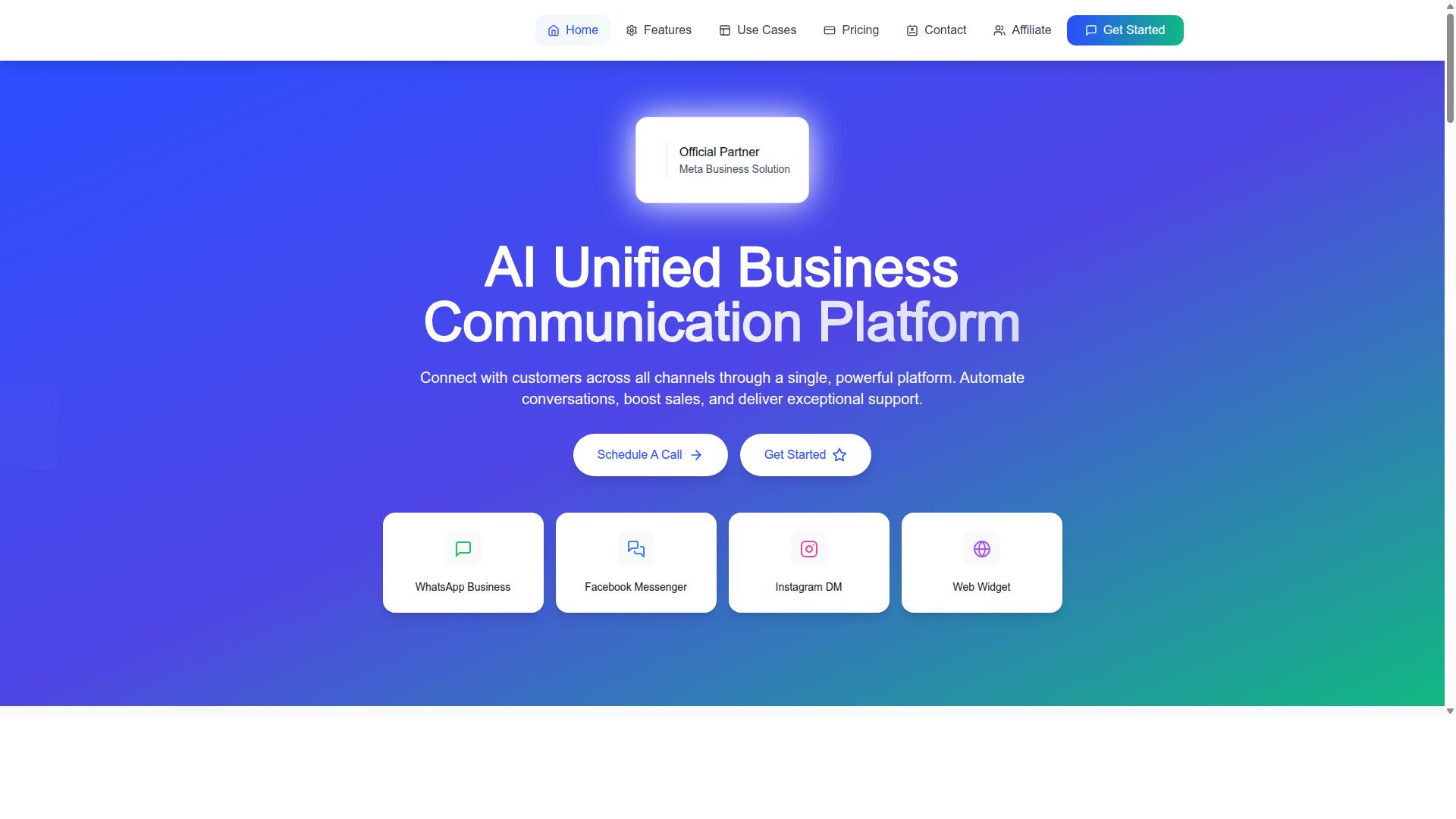
Com.bot brings all your customer conversations into one intuitive dashboard, eliminating app-switching and ensuring no message goes unanswered. It connects WhatsApp Business, Facebook Messenger, Instagram DM, and Web Widget, so an agent sees every channel in a single queue.
The platform goes beyond aggregation. A visual bot builder with a drag-and-drop interface lets teams automate common replies, like order updates or shipping questions, without writing code. Native payments for WhatsApp let customers complete transactions inside the chat, which shortens the path from question to purchase.
Collaboration tools matter just as much for growing teams. Role-based access keeps permissions tidy, so a junior agent sees what they need while managers retain oversight. Com.bot is an official Meta Business Partner, with 23,000+ active customers processing 25M+ messages daily.
Pricing is structured by quarter:
| Plan | Price | Notes |
|---|---|---|
| Silver | $149 per quarter | Entry tier |
| Gold | $349 per quarter | Recommended |
| Platinum V1 | $2500 per quarter | Highest tier |
Add-ons are available at $10 per month for an additional team member or social channel, which keeps costs flexible as a store grows. Security is covered with end-to-end encryption, a baseline requirement for any business handling billing disputes, account access requests, or payment problems over chat.
For ecommerce teams juggling multichannel support, the appeal is simple. One inbox, one place to automate, and one place to measure customer satisfaction, all without stitching together separate tools.
Measuring Support Performance: Metrics That Matter
You can't improve what you don't measure. These five metrics will tell you exactly how your support team is performing. Each one captures a different layer of the customer experience, from speed to sentiment to problem-solving quality.
Track them consistently, review them weekly, and connect every number to a decision. Metrics exist to drive action, not to fill a dashboard.
CSAT (Customer Satisfaction Score) measures how happy customers feel after a single interaction. Send a short survey right after a ticket closes or a live chat ends, typically asking one question with a rating scale. To calculate it, divide positive responses by total responses, then multiply by 100.
Aim for 85% or higher. Anything below that signals friction somewhere in the journey, whether it's slow replies, unclear answers, or unresolved returns and refunds. Break results down by channel and agent to find the weak spots.
NPS (Net Promoter Score) captures longer-term loyalty rather than one conversation. Ask customers how likely they are to recommend your store, using a 0 to 10 scale. Subtract the percentage of detractors from the percentage of promoters to get your score.
Target 50 or above. NPS reflects the whole experience: product quality, delivery speed, and post-purchase support. Pair it with CSAT to see whether short-term fixes are translating into lasting goodwill.
First Response Time tracks how long a customer waits for the first human reply. For live chat, keep it under 5 minutes. For social media, under 1 hour. Email support should stay within a few hours during business days.
Automation helps here. A chatbot can acknowledge the message instantly, collect order details, and route the ticket to the right queue. The clock stops when a real person responds, so speed depends on both technology and staffing.
First Contact Resolution (FCR) measures how often an issue is solved in one interaction, with no follow-up needed. Calculate it by dividing tickets resolved on first contact by total tickets, then multiplying by 100.
Aim for 70%. Low FCR usually points to gaps in training, a thin knowledge base, or unclear policies around returns, exchanges, and warranty claims. Fixing those gaps reduces repeat contacts and lifts satisfaction at the same time.
Resolution Time is the total time from ticket creation to final closure. Simple requests like order tracking or a password reset should close within hours. Complex cases such as billing disputes, chargebacks, or fraud checks may take longer.
Keep complex issues under 24 hours where possible. When a case needs escalation to a specialist tier, tell the customer what happens next and when to expect an update. Silence during a long resolution damages trust more than the delay itself.
Surveys are the starting point, but they only work when tied to your help desk. Most ticketing systems let you attach a CSAT question to every closure and log the response against the agent and channel.
- Tag tickets by issue type: shipping updates, returns, refunds, payment problems, account access, product inquiries.
- Review dashboards weekly, not quarterly, so trends surface early.
- Compare channels side by side to spot where customers struggle most.
- Share results with the team and tie improvements to specific fixes.
Consider a real pattern many stores see. A shop notices its CSAT sits around 75%, with complaints clustering around repeat contacts. The team rewrites its FAQ, adds self-service order tracking, and trains agents on common return scenarios. Within a few months, FCR climbs and CSAT rises toward 90%.
The lesson is simple. Fixing the root cause behind a metric moves every other metric with it. Speed, resolution, and satisfaction are connected, not separate goals.
Numbers on a report change nothing on their own. Assign an owner to each metric, set a review cadence, and connect every dip to a concrete experiment. If response time slips, check staffing and chatbot routing. If FCR drops, audit your knowledge base and FAQ.
Over time, this habit turns support from a cost center into a feedback engine. Every ticket becomes a signal about your products, your policies, and your customer experience. Measuring well means listening well.
Scaling Support as Order Volume Grows
What works for 100 orders a day will break at 1,000. Scaling support requires a strategic mix of automation, self-service, and team expansion. The trick is matching your support model to your current volume, then preparing for the next stage before you are forced to react.
Many ecommerce stores make the mistake of adding headcount every time ticket volume spikes. That approach works for a while, but it drives costs up in a straight line while revenue rarely grows at the same pace. Automation and self-service let you handle more customers without hiring proportionally.
Below is a practical roadmap broken into four stages. Each stage lists what to prioritize, when to hire, and where automation fits. Treat it as a guide, not a rigid rulebook. Your product mix, return rate, and customer expectations will shape the exact timing.
Stage 1: 0 to 100 orders per day. At this volume, the founder or a small team typically handles customer support directly. That is actually an advantage. You learn exactly what customers struggle with, which questions repeat, and where your product pages or checkout flow create confusion.
Start building a library of saved replies for the questions you answer most. Common examples include order tracking, shipping updates, return instructions, and password reset requests. Saved replies cut response time and keep your tone consistent without any software investment.
Keep a simple shared inbox or a lightweight help desk so nothing gets lost in a personal email account. Even a basic ticketing system helps you spot patterns. If ten customers ask about sizing in one week, that is a signal to improve your product page, not just answer faster.
Stage 2: 100 to 500 orders per day. This is where the founder can no longer personally answer every message. Your first support hire should focus on the routine, high-volume questions: order status, delivery issues, and basic product inquiries.
This is also the right time to introduce a chatbot for FAQs. A well-configured bot handles repetitive questions instantly, around the clock, and frees your agent to focus on complex issues like refunds, exchanges, or payment problems. The bot does not replace people. It filters the noise so people can do higher-value work.
Set clear escalation rules so the chatbot knows when to hand a conversation to a human. Nothing frustrates a customer more than being stuck in a loop when they have a genuine problem. Define which topics the bot can resolve and which must route to an agent immediately.
Track two metrics closely at this stage: first contact resolution and response time. If first contact resolution is dropping, your bot or saved replies may be too generic. If response time is climbing, you need either better routing or another pair of hands.
Stage 3: 500 to 2,000 orders per day. At this scale, support becomes a system, not a task. A knowledge base becomes essential. It serves two purposes: customers use it for self-service, and your agents use it as a single source of truth.
Build articles around your highest-volume topics. Order tracking, shipping updates, returns and refunds, warranty claims, delivery issues, and account access are common starting points. Each article should answer one question clearly and link to related topics.
Introduce tiered support at this stage. Tier one handles routine inquiries using the knowledge base and saved replies. Tier two takes escalations, billing disputes, chargebacks, and fraud prevention cases. This structure keeps your most experienced people on the problems that actually need them.
Smart routing ties it together. Route tickets by topic, customer value, or urgency so the right agent sees the right issue. A pre-sale question about stock availability should not sit behind a delivery complaint in the same queue.
If you sell across multiple channels, an omnichannel approach matters here. Email support, live chat, and social messages should all land in one help desk. Customers expect a consistent experience no matter where they reach out.
Stage 4: 2,000 or more orders per day. At this level, you need a dedicated support team with defined roles, schedules, and performance targets. Specialists may handle returns and refunds, payment problems, or post-purchase support for specific product lines.
Advanced analytics become a competitive advantage. Look beyond ticket counts. Track customer satisfaction (CSAT), NPS, resolution time, and contact reasons by category. These numbers tell you where to invest next, whether that means fixing a product page, improving packaging, or adding a self-service tool.
Proactive outreach is the final piece. Instead of waiting for customers to ask where their order is, send shipping updates before they wonder. Instead of reacting to delivery issues, notify affected customers first. Proactive communication reduces inbound volume and builds trust at the same time.
Throughout every stage, the principle stays the same. Automation and self-service absorb volume so your team can focus on the conversations that genuinely need a human. That is how you scale support without costs rising in lockstep with orders.
For high-volume businesses, Com.bot's Platinum plan is built to support exactly this kind of operation. It includes unlimited team members and advanced automation, which fits stores that have moved past the early stages and need their support stack to keep pace with order growth.
If you are unsure which stage you are in or what to automate first, reach out to Com.bot directly. You can contact the team by phone or WhatsApp at +91 080 6987 1810, email sales@com.bot, or visit the head office at 501, Trinity Orion, Vesu Main Road, Surat - 395010, IN. Business hours are Monday through Friday, 9:00 AM to 6:00 PM IST, with WhatsApp support available. Ask about a demo or trial to see how the platform fits your current volume.